
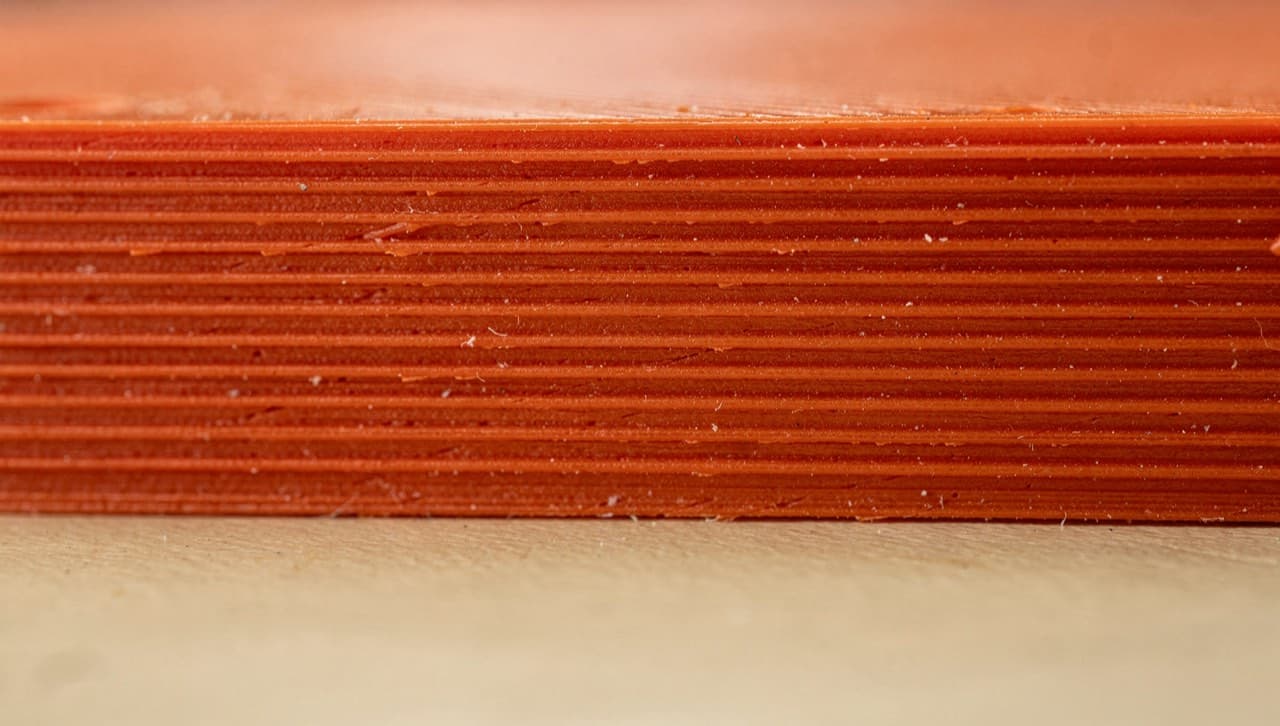
If you've ever tried to fit a printed bracket onto an existing screw and watched it crack, you already know what this guide is about. FDM (fused-deposition-modeling) is the printing process behind every spool of PLA, PETG, and TPU we run — and it has a few hard constraints that, once you internalise them, make every design you send through the printer noticeably better.
Two of those constraints carry the most weight: tolerance and layer height. We'll cover both, with the actual numbers from our printer (a Bambu A1 mini, 0.4 mm nozzle) rather than the marketing-grade rounding you'll find on slicer FAQs.
Tolerance: what "±0.3 mm" really means
When we say our prints have roughly ±0.3 mm tolerance, that's a real-world working figure. It's not the printer spec sheet (which claims tighter) and it's not a worst-case (which is looser). It's the band you should design for if you want a part to "just work" without sanding, reaming, or filing.
Where the slop comes from:
- Material shrinkage. PLA contracts ~0.2% as it cools. PETG more. On a 100 mm part that's a 0.2 mm difference between what you drew and what comes off the bed.
- First-layer squish. The Z-offset on a freshly-levelled bed is rarely exactly 0.2 mm. A slight over-squish flattens the first 2-3 layers and effectively shrinks short parts.
- X/Y backlash. Belt-driven printers can drift 0.05–0.10 mm on direction reversal. Visible on small features near sharp corners.
- Overhangs and bridges. Anything overhanging > 45° starts drooping. Bridges across a 20 mm gap sag a fraction of a millimetre at the centre even with good cooling.
The practical translation for someone designing parts:
| Need | Design rule | |---|---| | Press-fit / push-fit | Leave +0.2 mm to +0.3 mm clearance per face. So a 10 mm shaft into a 10 mm hole → bore the hole at 10.4 mm. | | Sliding fit (smooth) | +0.4 mm to +0.5 mm clearance per face. | | Snap-fit cantilever | Add a 0.5 mm "bump" the latch travels over. Print it standing up so the cantilever runs parallel to the layers. | | Threaded inserts | Heat-set inserts beat printed threads. Our default is M3 brass inserts in a 4.0 mm pilot. | | Thin walls | Don't go below 0.8 mm (= 2 perimeters at 0.4 mm nozzle). 1.2 mm if you want to be safe. |
A useful mental model: design as if every printed dimension might be 0.3 mm bigger OR smaller than the CAD model. If both ends of that range still "work" for your part, you're in the clear. If one end fails, the part is too tight to your tolerance and you'll be filing things.
Layer height: the speed-vs-finish dial
Layer height is the simplest tuning knob on the printer. Lower = smoother. Higher = faster. Our defaults:
- 0.12 mm — fine detail. Tabletop miniatures, decorative reliefs, anything where the layer lines are part of how it reads. Prints take ~3× as long as 0.2 mm.
- 0.20 mm — workshop default. Functional parts, gadgets, brackets, the catalog. Layer lines are visible but unobtrusive. This is what most of our catalog ships at.
- 0.28 mm — fast and rough. Prototypes, jigs you'll only use once, "is this the right shape" mock-ups. Layer lines are a clear visual feature; not what you want on a gift.
A subtle thing most beginners don't notice: the layer height also determines the smallest vertical feature you can render reliably. At 0.2 mm layer height, a 0.3 mm tall embossed letter is just one and a half layers — the slicer will round to either one or two, and the edge of the letter will look ragged. If you're embossing or debossing text, design at 0.6 mm (3 layers at 0.2 mm) or higher.
The same logic applies to top-and-bottom solid layers. At 0.2 mm with 4 solid top layers, the closing surface is 0.8 mm thick. Anything narrower than that and spanning more than ~10 mm will sag visibly. Add internal infill structure or thicken the surface.
A few more design moves that pay off
These don't fit neatly under tolerance or layer-height but they make the same kind of difference between "works" and "had to redo":
- Orient for strength, not for pretty. Layer lines are weak in the Z direction. A bracket that has to take load in tension is ~30% weaker when printed flat than when printed standing up. If a part will be stressed in one direction, orient it so the layer lines run perpendicular to that direction.
- Add a chamfer at every joint where things press together. A 0.5 × 45° chamfer makes a press-fit slide in cleanly. Without it, the first edge to touch deflects, and you get a stress crack.
- Avoid sharp inside corners on load-bearing parts. Print stress concentrates in inside corners. A 1.0 mm fillet there reduces stress concentration ~3×. Free in CAD, costs nothing in print time.
- Holes that need to be precise: design 0.4 mm bigger than the target, then drill or ream to spec. A 5.0 mm pin in a printed 5.4 mm hole, then drilled to 5.05 mm, beats a printed 5.0 mm hole every time.
- If a feature has to be smooth, design it standing up. Top surfaces and outer walls are smoother than the bottom of overhangs. Plan the orientation, then plan the design.
What we don't do
For context on where FDM stops being the right answer: we don't print parts that need ±0.05 mm tolerance (that's resin or CNC territory), we don't print food-safe-on-contact (sealing only goes so far), and we don't print engineering parts that need to survive 70 °C+ in PLA. PETG carries to ~80 °C, ABS further still — ask in the custom-order brief if heat resistance matters for your part.
If you're sketching something out and want a quick sanity check on whether FDM is the right process for it, send it through the custom-quote form. We'll either quote it, or tell you what process you actually need.